 iPhone
 iPad
 MacBook
 iMac and Mac
 Apple Watch
 Samsung
 Xiaomi
 Huawei
 OPPO
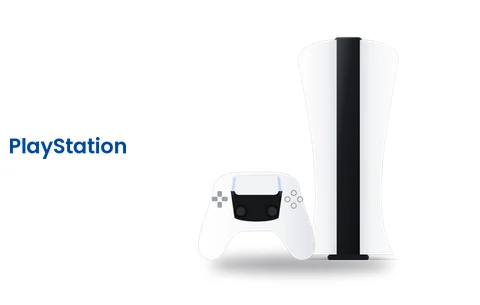 PlayStation
- Disc reading errors can stem from a dirty lens or laser fault.
- Ensure the disc is inserted facing the correct direction and is clean.
- Discs stuck inside the drive can be released using the manual eject screw.
- Hardware repairs must account for the pairing between the motherboard and drive.
01If your PS5 will not read discs, try this first
When you insert a disc into your PlayStation 5, the system may fail to read it or display an unrecognised disc error. Before assuming there is a hardware fault, it is worth carrying out a few basic checks. A ps5 not reading disc issue is sometimes caused by simple dirt or a temporary software glitch.
- Check the disc. Inspect the game disc for deep scratches, smudges, or fingerprints. Wipe it gently from the centre outwards with a soft cloth.
- Verify disc orientation. When the console is placed vertically, the printed label side of the disc should face left; when horizontal, it should face upwards.
- Restart. Turn on the console in Safe Mode and clear the system cache.
- Try a different disc. Insert another game disc to determine whether the fault is limited to one disc or affects all of them.
For other services you may require, explore our PlayStation repair and general repair types pages.
02Signs of a faulty disc drive
Faults developing in the drive mechanism or optical reading head usually present with specific symptoms. If your device shows any of the following signs, technical intervention may be necessary.
- Loud scraping or grinding noises when pulling the disc in
- The disc fails to insert at all or gets stuck halfway
- The disc stops spinning shortly after insertion with a strange clicking noise
- The screen displays a ‘no disc’ message or an unrecognised disc warning
| Symptom | Likely cause | Action needed |
|---|---|---|
| Clicking noise | Laser motor or broken gear | Drive mechanism needs inspection |
| Disc not spinning | Drive motor failure | Motor and power circuit should be checked |
| Unrecognised disc | Lens dirty or laser faulty | Lens cleaning or laser replacement |
03What to do if a disc is stuck
If a disc is trapped inside the console and does not eject when pressing the eject button, do not use force. Forcing it can damage the drive gears.
Sony provides a manual disc eject screw under the lower cover of the PS5. After unplugging the console, remove the cover and turn this screw with a screwdriver to release the disc safely.
04Disc drive repair
If the issue persists after carrying out these checks, the fault lies within the motherboard, laser head, or mechanical parts. Following a free diagnosis at our shop in Kadıköy, the appropriate repair method is determined.
The PS5 disc drive daughterboard is paired with the motherboard. Because of this, drive replacements require chip transfer or the retention of the original board. Faulty optical pick-up laser lenses or motor assemblies are replaced with original components. You can find more details on our PS5 repair page. For controller issues, visit our DualSense repair page.
Brand › Model › Repair listChoose your model, ask about the faultPS5 repairs05How to get your device to us
Hasanpaşa Mh. Söğütlüçeşme Cd. No: 192 (opposite the mosque car park), Kadıköy. Monday – Friday 09:00 – 20:30 · Saturday 09:30 – 20:30 · Sunday: Please ask.
Free two-way shipping with our contracted carrier from anywhere in Turkey. Send the device without its case, in a well-protected box, with a note giving your phone number and the fault.
Within Istanbul you can send your device by motorbike courier; just send us your address and the fault on WhatsApp.